Blog / Guide
Write to UsWhat Are SOCKS5 Proxies?
January 17, 2026
Guide

Introduction
SOCKS5 proxies are one of the most flexible and powerful proxy types available today. SOCKS stands for 'Socket Secure' and is a specific proxy protocol designed to route client requests through an intermediary server. They are commonly used in scenarios where traditional HTTP proxies fall short, especially when dealing with automation tools, scraping software, APIs, or applications that require low-level network access.
SOCKS5 operates at the session layer of the OSI model and acts as an intermediary server for routing internet traffic, supporting multiple protocols and masking IP addresses without encrypting data.
Understanding Proxy Basics
Before diving into the specifics of SOCKS5 proxies, it's important to understand the fundamentals of how proxies work. A proxy server acts as an intermediary between your device and the wider internet, routing your internet traffic through a different IP address. This process masks your real identity online, making your requests appear as if they originate from another location.
There are several types of proxies, each designed for different use cases. HTTP proxies are tailored for web traffic and can interpret, cache, and filter data sent via the HTTP protocol. SOCKS proxies, on the other hand, are more versatile. They operate at a lower level and can handle a broader range of internet traffic, not just web browsing. SOCKS5 proxies, the latest version of the SOCKS protocol, stand out for their support of multiple authentication methods, improved performance, and ability to handle UDP traffic and advanced DNS requests. This makes them a preferred choice for users who need flexibility, security, and compatibility with various applications.
What Is a SOCKS5 Proxy and Its Authentication Methods?
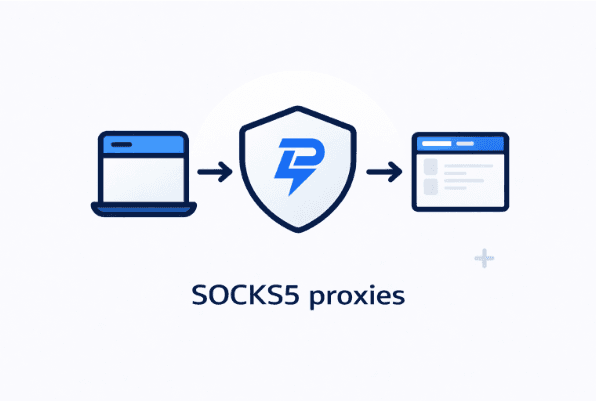
A SOCKS5 proxy is a proxy server that routes traffic between your device and a destination server without interpreting or modifying the data being sent. Unlike HTTP proxies, SOCKS5 works at a lower network level, which allows it to support many different types of traffic beyond basic web browsing. SOCKS5 proxies do not rewrite data packet headers, which helps reduce errors and improve performance. They handle network packets and support multiple protocols, such as TCP and UDP, making them versatile for different network protocol requirements.
When using a SOCKS5 proxy, websites and services see the proxy's IP address instead of your real one. This makes SOCKS5 proxies suitable for tasks that require anonymity, location control, or IP rotation.
How SOCKS5 Proxies Work in Practice
Once configured in a browser, application, or automation tool, all outbound traffic is sent to the SOCKS5 proxy first. The proxy establishes a proxy connection that can handle both TCP connections and the UDP protocol, enabling support for a wide range of applications. The proxy forwards the traffic to the target destination and returns the response back to the client. SOCKS5 also supports remote DNS resolution, which enhances privacy and compatibility.
Because SOCKS5 does not inspect traffic contents, it works seamlessly with:
- Browsers
- Scraping frameworks
- Automation tools
- API clients
- Desktop and mobile applications
SOCKS5 Proxy Security
Security is a key advantage of using SOCKS5 proxies. By routing your internet traffic through a proxy server, you can effectively hide your real IP address, making it much harder for websites, hackers, or third parties to track your online activity. SOCKS5 proxies support multiple authentication methods, including password authentication, which helps ensure that only authorized users can access the proxy server and your connection remains secure.
However, it's important to note that while SOCKS5 proxies can help prevent DNS leaks and offer a layer of anonymity, they do not encrypt data by default. This means that your data packets could still be visible to network observers or vulnerable to deep packet inspection. For enhanced security, consider combining SOCKS5 proxies with additional encryption tools, such as VPNs or SSL/TLS, to fully protect your internet traffic and sensitive information.
SOCKS5 vs HTTP Proxies
HTTP proxies are limited to web traffic and browser-based use cases. They provide basic proxy functionality such as interacting with web servers and caching web data for web browsers, which helps speed up browsing and improve performance by storing frequently accessed content. HTTP proxies often modify headers and only support specific protocols.
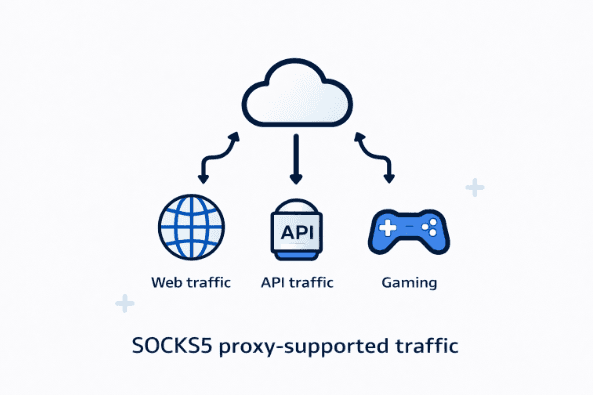
SOCKS5 proxies, on the other hand, are protocol-agnostic. They can handle a wider range of connections and work reliably with software that HTTP proxies simply cannot support. For users running scrapers, bots, or custom scripts, SOCKS5 proxies offer significantly more flexibility.
SOCKS5 Proxies and Residential IPs
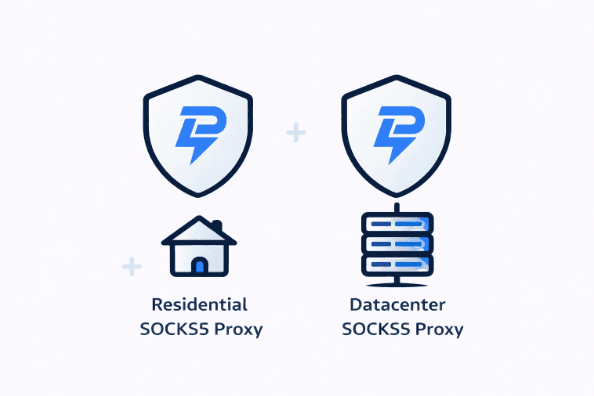
One of the most common combinations is SOCKS5 residential proxies. Residential proxies use real IP addresses assigned by internet service providers, making them appear like normal household connections. This helps users appear as regular internet users to web hosts, enhancing anonymity and privacy. When paired with SOCKS5, they are especially effective on websites protected by advanced detection systems.
LightningProxies residential proxy products support SOCKS5 connections, making them suitable for:
- Web scraping
- Account management
- Geo-targeted testing
- Market research
- Ad verification
SOCKS5 residential proxies are also effective for bypassing geo restrictions and network firewalls, allowing access to blocked content and services.
This combination helps traffic blend in naturally and reduces the risk of blocks.
SOCKS5 with Datacenter Proxies
For users who prioritize speed and stability over residential appearance, SOCKS5 datacenter proxies are often the preferred choice. Datacenter proxies offer high performance and consistent uptime. These proxies often provide a static IP address and use TCP port 1080 by default for SOCKS5 connections. When delivered over SOCKS5, they work well for:
- Automation tasks
- Bulk data collection
- API access
- Performance-sensitive workflows
SOCKS5 datacenter proxies are also suitable for peer to peer sharing due to their speed and reliability. LightningProxies datacenter proxy products support SOCKS5 to ensure compatibility with a wide range of tools and applications.
SOCKS5 and Rotating Proxy Solutions
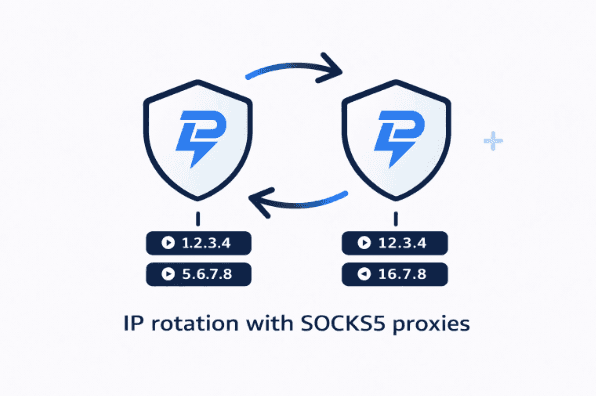
Many professional workflows require IP rotation to avoid rate limits or detection. LightningProxies rotating proxy solutions can be accessed via SOCKS5, allowing users to:
- Rotate IPs automatically
- Maintain session control
- Adjust rotation frequency based on use case
Rotating proxies route your internet traffic through a third party server, which enhances user privacy and anonymity by concealing your real IP address and location. It is important to choose a reputable proxy provider to ensure reliable and secure connections, as well as proper support for SOCKS5.
This is especially useful for scraping, testing, and large-scale automation.
Why SOCKS5 Proxies with Remote DNS Resolution Perform Better on Protected Websites
Most modern websites are protected by reverse proxies and security layers designed to detect abnormal traffic patterns. These systems often block low-quality or abused proxy IPs.
SOCKS5 proxies do not automatically bypass detection, but they reduce protocol-level fingerprints. When combined with clean residential or well-managed datacenter IPs, success rates are significantly higher compared to free or public proxies. Free proxies often lack proxy authentication and authentication support, making them less secure and reliable than paid SOCKS5 proxies, which offer enhanced security through features like username/password authentication.
SOCKS5 Proxies vs VPNs
VPNs encrypt all system traffic and are primarily designed for privacy. VPN servers provide encryption and enhanced network security by routing all internet protocol traffic through a secure tunnel. While useful for personal browsing, they are often impractical for automation or multi-account workflows.
SOCKS5 proxies operate at the application level, giving users precise control over which traffic is routed through the proxy. Unlike VPNs, SOCKS5 proxies are protocol-agnostic and can handle multiple internet protocols and ports, making them more versatile for routing different types of internet traffic. This makes them more scalable and easier to integrate into professional setups.
Using SOCKS5 Proxies on Different Devices
One of the strengths of SOCKS5 proxies is their compatibility with a wide range of devices. Whether you're working on a desktop computer, laptop, mobile device, or even configuring your home router, SOCKS5 proxies can be set up to route your internet traffic securely. On computers, you can configure proxy settings manually or use software provided by your proxy service. Mobile devices often allow SOCKS5 proxy setup through Wi-Fi network settings or with the help of third-party apps. Some advanced routers also support SOCKS5 proxies, enabling you to protect all devices connected to your network.
When choosing a proxy service, make sure it offers flexible setup options and supports the devices you use most. This ensures you can maintain privacy and control over your internet traffic, no matter where or how you connect.
Network Optimization
To get the best performance from your SOCKS5 proxies, network optimization is essential. Start by selecting a proxy server that is geographically close to your location, this can significantly reduce latency and improve connection speeds. Reliable proxy service providers often offer high-speed servers, low-latency connections, and advanced features like load balancing and traffic shaping, which help manage network traffic efficiently and prevent congestion.
Adjusting your network settings and choosing the right proxy service can make a noticeable difference in your browsing and data transfer speeds. By optimizing these factors, you ensure that your SOCKS5 proxy delivers fast, stable, and secure connections, supporting everything from web scraping to automation and beyond.
When Should You Use SOCKS5 Proxies?
SOCKS5 proxies are a good choice if you:
- Use tools beyond standard browsers
- Need compatibility with automation or scraping software
- Require stable sessions or IP rotation
- Work with APIs or non-HTTP traffic
- Want better performance with less overhead
A SOCKS proxy, specifically the SOCKS5 proxy protocol, works by routing your network traffic through a proxy server. Unlike HTTP proxies, a SOCKS proxy is protocol-agnostic and supports both TCP and User Datagram Protocol (UDP) traffic, making it versatile for various applications. SOCKS5 proxies can transfer smaller data packets, which results in faster speeds for automation, P2P sharing, and other traffic-intensive tasks.
Conclusion
SOCKS5 proxies are not just a technical detail. They are a key component of reliable, scalable proxy usage.
By supporting SOCKS5 across residential, datacenter, and rotating proxy products, LightningProxies gives users the flexibility to choose the right IP type without sacrificing compatibility or performance.
Understanding how SOCKS5 works, and pairing it with the right product, is the foundation of a successful proxy setup. SOCKS5 proxies support the Transmission Control Protocol (TCP) for reliable data transfer and can be configured through your computer's proxy settings for seamless integration.
FAQ
Does LightningProxies support SOCKS5?
Can I use SOCKS5 proxies for scraping?
Are SOCKS5 proxies faster than HTTP proxies?
Do SOCKS5 proxies rotate IPs?
Are SOCKS5 proxies legal?

November 7, 2025
Guide
The Ultimate Guide to Proxy IP Types
Discover the different types of proxy IPs: residential, datacenter, mobile, and IPv6 proxies. Learn which proxy type is best for your needs and how to choose the right setup.
September 29, 2025
Guide
What Is a Residential Proxy: Complete Guide 2025
Learn everything about residential proxies: how they work, types, benefits, and use cases for web scraping and privacy.

October 03, 2025
Announcements
Proxy Meaning: What Does a Proxy Really Do
Discover the true meaning of proxy servers and how they work.